
CLP label software free trial: start with one product
Start your CLP label software free trial with one shop product. Bring its supplier SDS, choose a language and take the label through to Zebra printing.
Printing and warehouse · Kasper Stasiak · Published 2 November 2026 · 3 min read
Start your CLP label software free trial with one product from your online shop or private-label catalogue, its supplier Safety Data Sheet (SDS) and one target language. With your Zebra station ready, you can follow that product from source document to a printed language version before organizing the rest of the catalogue.
ValidLabels offers a Free plan with no time limit, rather than a time-limited trial. Start with a useful piece of your own label work.
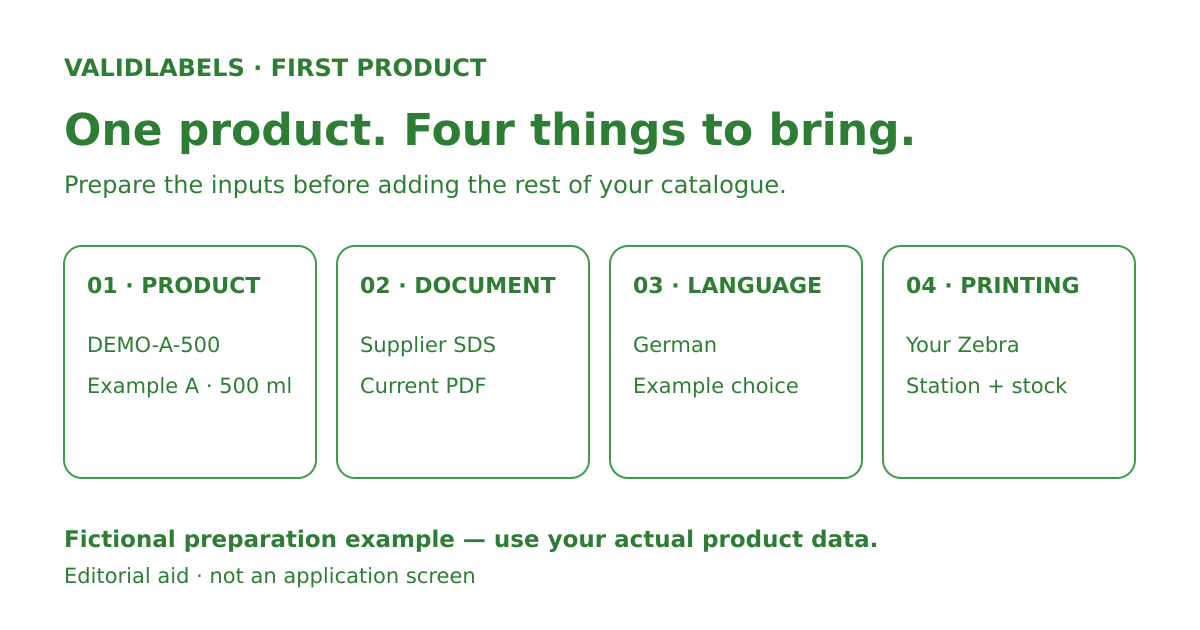
Prepare one product and one language
Use this fictional preparation card as a model; replace the entries with your actual product data:
- Product: Example product A, 500 ml; seller SKU
DEMO-A-500. - Source document: the supplier's current PDF SDS for that exact product. Note the document reference and revision from the file.
- Label details: the product name and supplier/contact details you use when preparing its label.
- Target version: German, chosen for this example.
- Printing: your Zebra model and the label stock and dimensions available at your station.
Keep the product details beside the PDF. The exercise stays on this SKU and language; a full catalogue spreadsheet can wait.
Take the product from SDS to print
The ValidLabels product workflow connects these actions:
- Upload the supplier PDF. ValidLabels uses AI to extract H-statements and P-statements for label preparation.
- Prepare the label content for your product. Review the extracted statements alongside the source and your product details, keeping the work attached to the chosen SKU.
- Prepare the language version. Standard CLP phrases use the official EU glossary. Variable statements can use AI guided by regulatory templates. Save the chosen language version in the label library.
- Print that version on your Zebra station. Select the intended product and language, then compare the physical label with the product and version you prepared.
For DEMO-A-500, keep the German version as the focus through printing. Adding more languages is a separate job once you have followed the first one through.
Know what you want from the first exercise
In the fictional example, before starting, the supplier PDF sits in a folder and DEMO-A-500 exists in the shop, but the team has not brought them together for a German label.
Your aim by the end: an identifiable German label version for that SKU, its source document available alongside it, and a printed copy from your Zebra station. That gives your team something concrete to use when deciding how ValidLabels fits your label work.
The Free plan includes up to 5 products/SKUs and 20 label translations, granted once at sign-up, with no credit card required. One translation covers a complete label in one target language; the sign-up allowance is not monthly. Zebra printing comes with the paid plans (Brand connects one printer), so upgrade in the app when you reach step 4.
When you are ready to organize more products, the SKU/EAN catalogue preparation guide covers variants, pack sizes and document references across your range.
Create free account and start with the supplier PDF for one product you already sell.
Free plan
Try it on one product today.
Create a free account, upload the product’s safety data sheet (SDS) and pick a language. No card, no time limit.
More guides
Printing and warehouse
CLP label software: prepare your SKU/EAN catalogue
Prepare your SKU/EAN catalogue for CLP label software. Use a worked example to connect variants, pack sizes, existing codes, SDS files and label references.
26 October 2026
4 min readPrinting and warehouse
CLP label printing by destination: test before dispatch
CLP label printing by destination: check the product, language and approved version, then test eight packing-station cases before rollout.
14 October 2026
5 min read
Would it be a bad idea to test it on your hardest product?
Upload one SDS you dread translating. If the label isn’t right in every language you need, you’ve lost five minutes.
Kasper Stasiak founded ValidLabels after working directly with European chemical exporters on CLP labelling workflows. ValidLabels is built by Awakast P.S.A., based in Wrocław, Poland.