
In this article
- Turn three untidy entries into a usable catalogue map
- Copy this preparation record for your products
- Bring the map into your label-library decision
Preparing a SKU/EAN catalogue for CLP label software starts with the exact item you sell: its variant, pack size, seller SKU, assigned EAN, source Safety Data Sheet (SDS) and intended label reference. If you run an online shop or private-label catalogue, the worked example below shows how to separate ambiguous entries before setting up barcode-based printing.
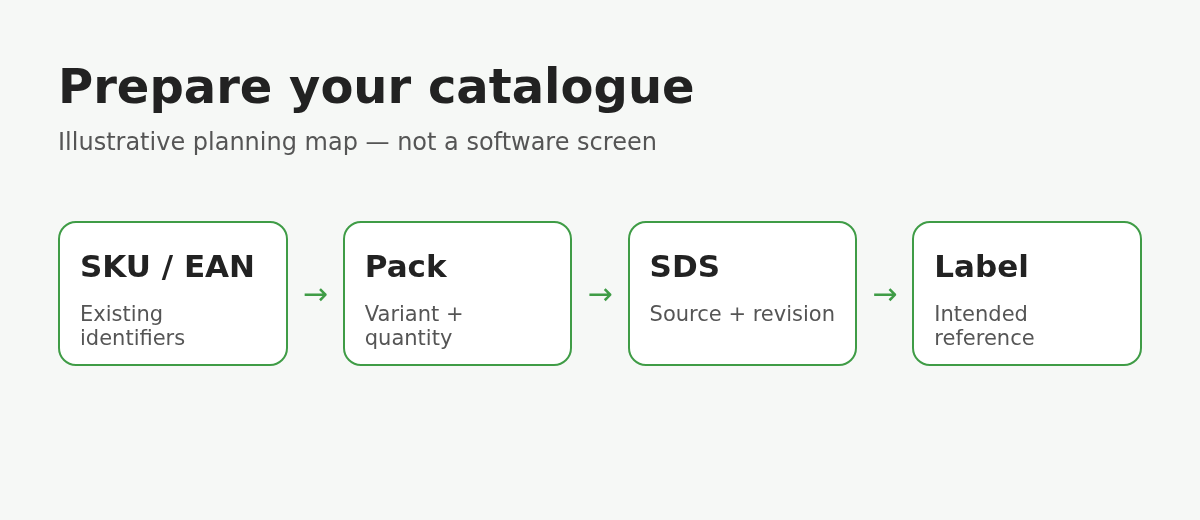 Illustrative preparation map: SKU and EAN, pack size, SDS and label reference.
Turn three untidy entries into a usable catalogue map
All products and references below are fictional. EXAMPLE-EAN-A stands for an existing assigned code; it is not a usable barcode. The label references are planning names for records, not approved label content.
1. Cleaner, 250 ml: make the SKU specific
Before: DEMO-CLEAN · Cleaner, 250 ml · EXAMPLE-EAN-A · source DEMO-SDS-A-r1 · label DEMO-LABEL-A.
After: DEMO-CLEAN-250 · Cleaner, 250 ml · EXAMPLE-EAN-A · source DEMO-SDS-A-r1 · label DEMO-LABEL-A.
The catalogue owner replaces the ambiguous seller SKU with one that distinguishes this pack. The assigned-code reference and document relationship stay with the 250 ml item.
2. Cleaner, 500 ml: remove the copied code
Before: DEMO-CLEAN · Cleaner, 500 ml · EXAMPLE-EAN-A · source DEMO-SDS-A-r1 · label DEMO-LABEL-B.
After: DEMO-CLEAN-500 · Cleaner, 500 ml · EAN pending lookup · source DEMO-SDS-A-r1 · label DEMO-LABEL-B.
This row reused both identifiers from the smaller pack. Give it a distinct seller SKU and remove the copied EAN. The catalogue owner checks the product master for the identifier already assigned to the 500 ml item; the row stays pending until that lookup is resolved.
Pack quantity matters: GS1's declared-net-content rule requires a new GTIN when the legally required declared net content printed on the pack changes. Do not carry an identifier across pack sizes simply because the product name matches.
3. Rinse, 250 ml: complete the document relationship
Before: DEMO-RINSE · Rinse, 250 ml · no EAN recorded · source missing · label reference missing.
After: DEMO-RINSE · Rinse, 250 ml · no EAN recorded · source DEMO-SDS-C-r2 · label DEMO-LABEL-C.
In this example, the owner locates the corresponding SDS and records the intended label reference. The seller SKU already distinguishes the item, so keep it while recording the EAN status separately. The source and label references are now available for label preparation.
The two cleaner packs share an SDS reference only as an assumption in this example. For your own catalogue, establish the document relationship for each item rather than copying it from a similar name.
Copy this preparation record for your products
Use one planning entry per sellable variant and pack. Start with similar-looking items, not only the easiest rows:
- Seller SKU: the identifier used in your shop or product master.
- Exact product and variant: include the distinguishing name or formulation reference.
- Pack quantity and unit: for example, 250 ml or 500 ml.
- Existing EAN, where assigned: retain the actual value; leave an unresolved lookup visible.
- Source SDS: document reference and revision used for label preparation.
- Intended label reference: the record your team will use for this item.
- Open action and owner: for example, “500 ml EAN lookup — catalogue owner”.
Keep this as a preparation worksheet alongside your product data. It gives the team a clear relationship to use when organizing the label library.
Bring the map into your label-library decision
ValidLabels provides a searchable product library organized by SKU and EAN, with label version history. It connects SDS upload and AI-assisted extraction of H/P statements with label preparation, language versions and barcode-based, on-demand printing on Zebra printers.
Use a few representative rows from your catalogue to assess that workflow: a familiar product, two similar packs and an item with a missing reference. Once those relationships are clear, the dispatch-printing guide covers the next job: testing product, destination language and label version at the packing station.
Starting with just one item? Use the first-product CLP software trial guide before preparing the rest of the catalogue.
See how ValidLabels works and compare the product-library workflow with your prepared catalogue map.
Kasper Stasiak
Founder, ValidLabels
Kasper Stasiak founded ValidLabels after working directly with European chemical exporters on CLP compliance workflows. ValidLabels is built by Awakast P.S.A., based in Wrocław, Poland.
Related articles
Getting Started
CLP label software free trial: start with one product
Start your CLP label software free trial with one shop product. Bring its supplier SDS, choose a language and take the label through to Zebra printing.
Label Translation
CLP label translation cost: plan your language budget
CLP label translation cost starts with missing product/language versions. Copy a planning register and budget whole credit packs separately from your plan.