
In this article
- Three ways to maintain CLP information in WooCommerce
- Test one product, two variants and two languages
- Choose by the revision work your team actually does
- Where ValidLabels fits
For WooCommerce CLP product pages, manual fields can work when a named owner can keep each product, variant and language aligned with reviewed label content. A connected widget is worth assessing when the same approved text needs updating in the label library and the shop. There is also a middle option: structured, reusable fields maintained inside the store.
Choose by the work involved in a real revision, not by the number of products alone. The decisive test is whether the right approved version reaches the right storefront variant and language—and whether your team can check and reverse that change.
Three ways to maintain CLP information in WooCommerce
Separate where content is approved from how it appears on the page. A well-designed product tab does not, by itself, establish who updates its contents.
WooCommerce's product-tab documentation describes ways to customise product-page sections and distinguishes classic themes from block layouts. That helps with presentation. Your content-maintenance process still needs its own owner.
Where is the shop content maintained?
- Pasted text: In each description or text block.
- Structured store-side fields: In defined fields or reusable records within the store setup.
- Connected label library and widget: In a label-content library connected to the storefront.
What happens after an approved revision?
- Pasted text: Find and replace every affected copy.
- Structured store-side fields: Update affected fields or shared records, then check their assignments.
- Connected label library and widget: Release the reviewed library version and verify which storefront pages receive it.
How do you handle variants?
- Pasted text: Keep separate text where variants need different content.
- Structured store-side fields: Define shared values and explicit variant exceptions.
- Connected label library and widget: Check the connection between each store variant and its label record.
How do you handle languages?
- Pasted text: Maintain and check each language copy.
- Structured store-side fields: Define how translated fields or records are selected.
- Connected label library and widget: Maintain reviewed language versions and verify storefront language selection.
What work remains?
- Pasted text: Approval, a change register and storefront checks.
- Structured store-side fields: Approval, assignment checks and storefront checks.
- Connected label library and widget: Approval, mapping checks and storefront checks, including failed loads.
Before choosing a plugin, check where it stores approved content, how it assigns variants and languages, and how you release an update.
Pasted text: appropriate for a process you can keep under control
A stable product page with reviewed text and a clear update owner may not need a new integration. Record the source version and every page that contains a copy. When the source changes, that list becomes the update list.
The weak point to watch is an overlooked copy: a translated page, an old variant description or a second block elsewhere on the same page. Judge the process by whether the owner can find and check them, not by whether the text was entered manually.
Structured fields: less repetition, but still a store-maintenance task
Defined fields can separate the hazard-information block from sales copy. A shared record can also avoid repeating identical text, if your chosen implementation supports it. Ask the developer where shared values live, how variant exceptions work and what happens to translations when the source record changes.
Ask your WooCommerce developer to demonstrate one shared hazard-information record used by two products, then change that record and check both product pages and their translations.
Connected content: assess the library as well as the display
A connected widget changes where you maintain storefront content. The useful question is whether the shop can use the reviewed label record your team already manages, rather than another independently edited copy.
This approach is not unique to one supplier. Veiligvertoon's WooCommerce listing describes a connection to its safety-information database, supplier SDS input and Dutch, English and German output. The listing also warns that the plugin has not been tested with the latest three major WordPress releases. Check current support and compatibility before shortlisting it.
For any connected option, ask how a draft becomes publishable, how product identifiers select a record, and what the customer sees if content cannot load. A connection is not a substitute for those decisions.
Test one product, two variants and two languages
Before rolling out a method, test a revision in a staging store. Use one of your products with two variants that have separate reviewed records, plus English and Polish pages. The example below is hypothetical: A1 and A2 are identifiers, not chemical formulations or sample classifications.
Create this register before making the change:
A1
- Page language: EN
- Expected label record: A1–EN
- Initial approved version: v1
A1
- Page language: PL
- Expected label record: A1–PL
- Initial approved version: v1
A2
- Page language: EN
- Expected label record: A2–EN
- Initial approved version: v1
A2
- Page language: PL
- Expected label record: A2–PL
- Initial approved version: v1
Keep the actual WooCommerce product and variation identifiers, label-record references and page addresses alongside it. If your implementation has no visible version marker, keep an approved content snapshot for comparison.
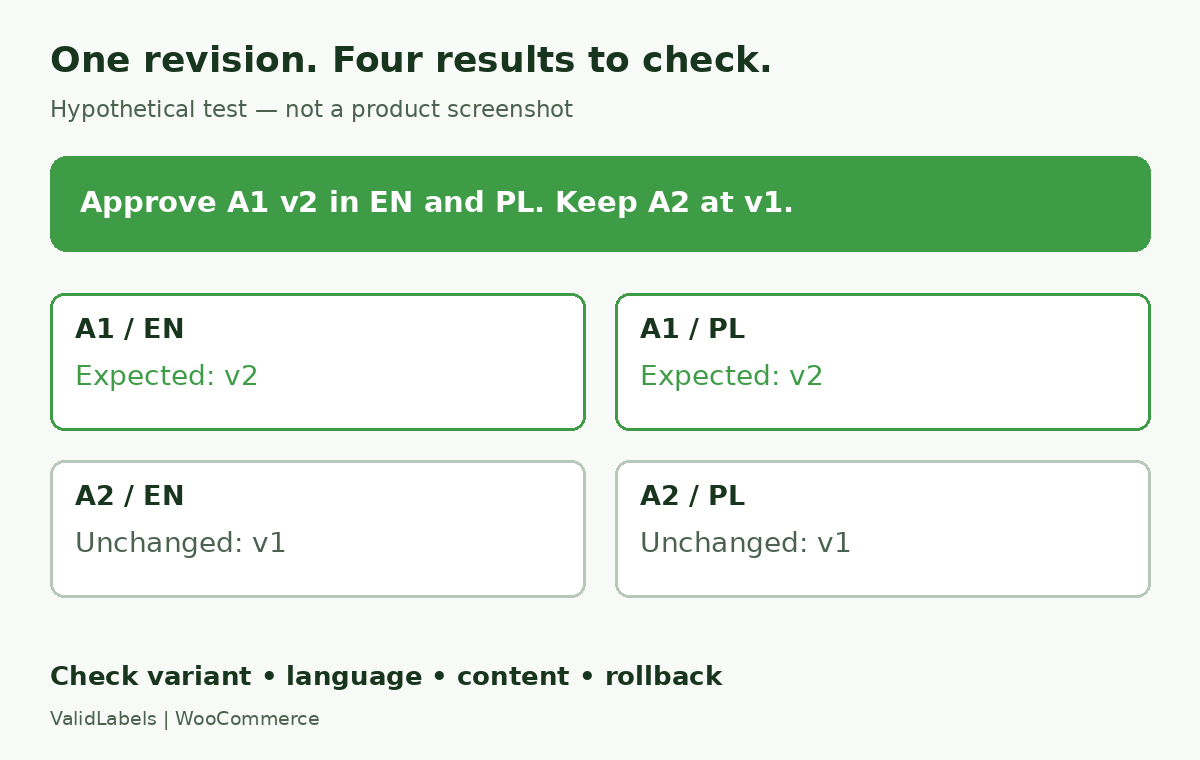 Hypothetical acceptance test: update A1 in English and Polish; keep A2 unchanged as a control.
Run a controlled revision
- Record the starting state. Save the approved source content and screenshots of all four combinations. Assign one content approver and one storefront checker.
- Prepare a change for A1 only. Have the responsible reviewer approve the revised content in both languages. Mark A1–EN and A1–PL as v2; leave A2 at v1. Do not invent hazard text just to make a live-page test easy.
- Apply the chosen update process. Replace pasted copies, update structured records, or publish through the connected library. Record every manual action and any separate store edit needed.
- Check the affected and unaffected combinations. A1 should show its approved v2 content in EN and PL. A2 should still show its own v1 content. Change the selected variant and language, and open direct variant links where your shop supports them. Check against the register, not the product name alone.
- Check the customer view. Inspect desktop and mobile pages while logged out. Revisit a previously cached page. For a connected solution, simulate an unavailable content service in staging and inspect the result. Agree what should happen when a record or translation is missing; do not accept an unnoticed wrong-variant or wrong-language substitution.
- Test recovery. Restore the previous approved state using the proposed rollback process, then recheck all four combinations. Record who can do this and where the release evidence is kept.
Accept the process only when the affected combinations match the revision, the controls stay unchanged, and the approver can explain the release and recovery steps. An attractive hazard block alone is not enough to judge the maintenance method.
Choose by the revision work your team actually does
Keep pasted text if the controlled revision is easy to complete, all copies are known and one owner can maintain them. Use structured fields when the main problem is repeated entry or inconsistent presentation and store-side records provide a manageable source. Assess a connected library when your team already maintains label versions and languages elsewhere and then repeats the same changes in WooCommerce.
Compare the manual actions, approval handoffs and recovery work from the test. Do not assume a particular SKU count makes one method right for every shop.
If you first need to decide which content belongs on the page, use the CLP product-page checklist. Keep that content review separate from choosing the maintenance method.
Where ValidLabels fits
ValidLabels is an option for teams that want to manage SDS-backed label content, reviewed language versions and WooCommerce display in the same platform. It provides SDS ingestion and extraction assistance, stored label versions, support for all 24 official EU languages, and a WooCommerce widget available on Starter and Professional.
The user remains responsible for reviewing the final label. Apply the same product, variant and language test to your own store before rollout; shared label content does not remove the need to verify the displayed result.
If your test shows that the repeated handoff from approved label to shop is the work you need to address, see how ValidLabels supports e-commerce sellers.
Kasper Stasiak
Founder, ValidLabels
Kasper Stasiak founded ValidLabels after working directly with European chemical exporters on CLP compliance workflows. ValidLabels is built by Awakast P.S.A., based in Wrocław, Poland.
Related articles
SDS and Labels
Supplier SDS update workflow for CLP labels and shops
Map a supplier SDS update to the affected SKUs, label languages, product pages and print jobs, with a practical checklist before dispatch.
CLP Compliance
How to Launch a CLP-Regulated Product in a New EU Market
Expanding a chemical product into another EU country? Learn what to check before launch, from CLP labels and languages to UFI and poison centre notifications.