
WooCommerce · connected label content
WooCommerce CLP product page widget
If you sell CLP-labelled products through WooCommerce, use the ValidLabels widget to show hazard information on each product page. Manage label content in ValidLabels instead of re-entering it in store fields.
Included on Starter and Professional. No credit card to start.
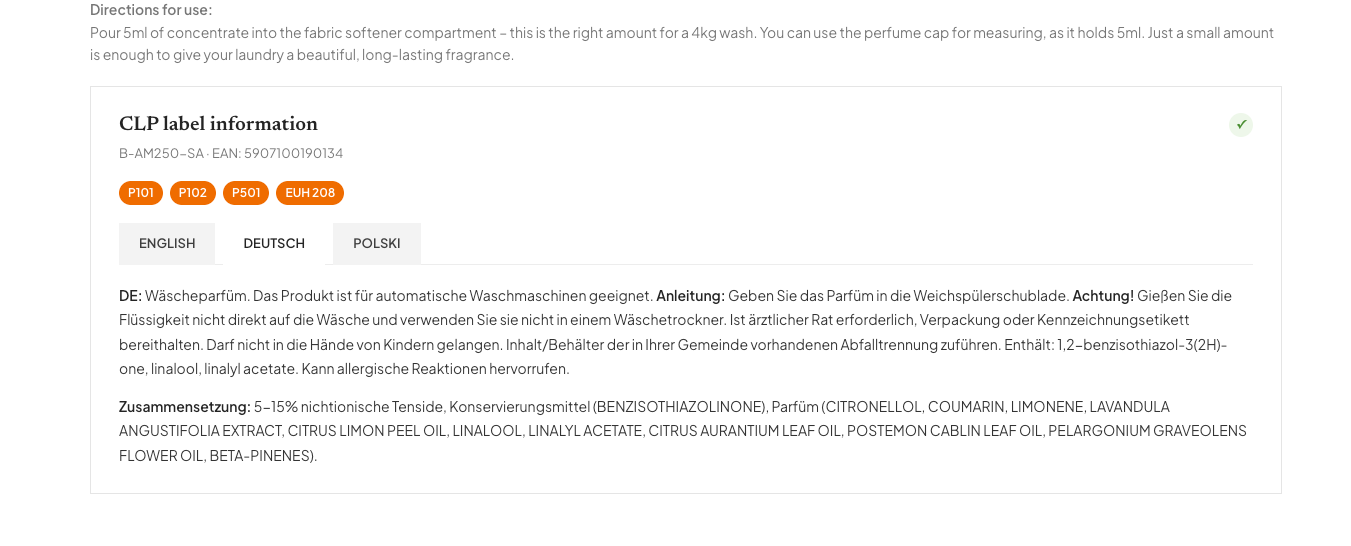
- WooCommerce plugin available now
- Label content and store display connected
- Language versions managed in one place
From source to use
From supplier SDS to your product page
Prepare the content once in ValidLabels, then connect it to the right WooCommerce product.
Prepare the label content
Upload the supplier Safety Data Sheet (SDS). Review the extracted H- and P-statements and the product details before using the label.
Connect the store product
Use the WooCommerce plugin to display the corresponding ValidLabels content on the product page. Check the product and its language versions before making it visible to shoppers.
Maintain the source, not duplicate fields
Manage changes and language versions in ValidLabels. After a revision, check the connected product page as part of your publishing routine.
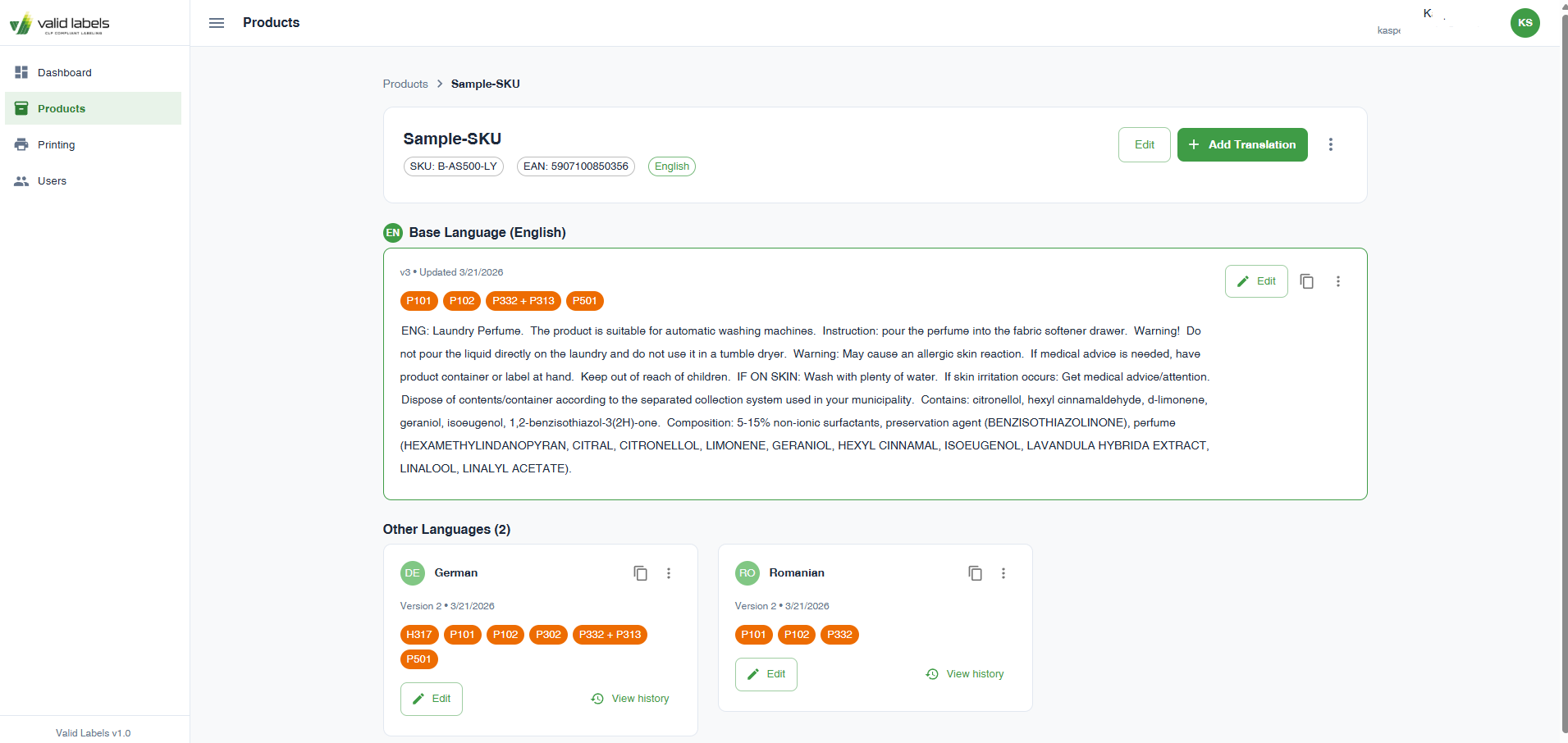
Check before use
Try the WooCommerce widget with one product
The widget displays hazard information from the product’s ValidLabels label. Start with one product and check how the content and language selection appear on its WooCommerce page.
- Match the store product to the correct product in ValidLabels.
- Check the text and available languages on desktop and mobile.
- Keep qualified review of label content in your process. The widget does not replace it.
Before you start
No. The WooCommerce widget is included on both Starter and Professional. Starter is permanently free, with up to 15 products/SKUs and 30 one-time label translations.
The widget displays content connected to ValidLabels. Your team manages the label content and its language versions in the platform, rather than maintaining a separate copy of the text in store fields.
ValidLabels also offers an iframe/API approach for custom stores. This page is for the available WooCommerce plugin; Shopify integration is planned, not available now.
Try it with one store product
Start with its supplier SDS, review the label content and see how it belongs on the product page.