
Private label · your products, your label versions
CLP label software for private label brands
For private-label brands, ValidLabels keeps supplier SDS data, each product’s CLP label content and target-market language versions together. Your team can review the content and pass the right version for each product to packing.
Start free with up to 15 products/SKUs and 30 one-time label translations.
- Supplier SDS intake
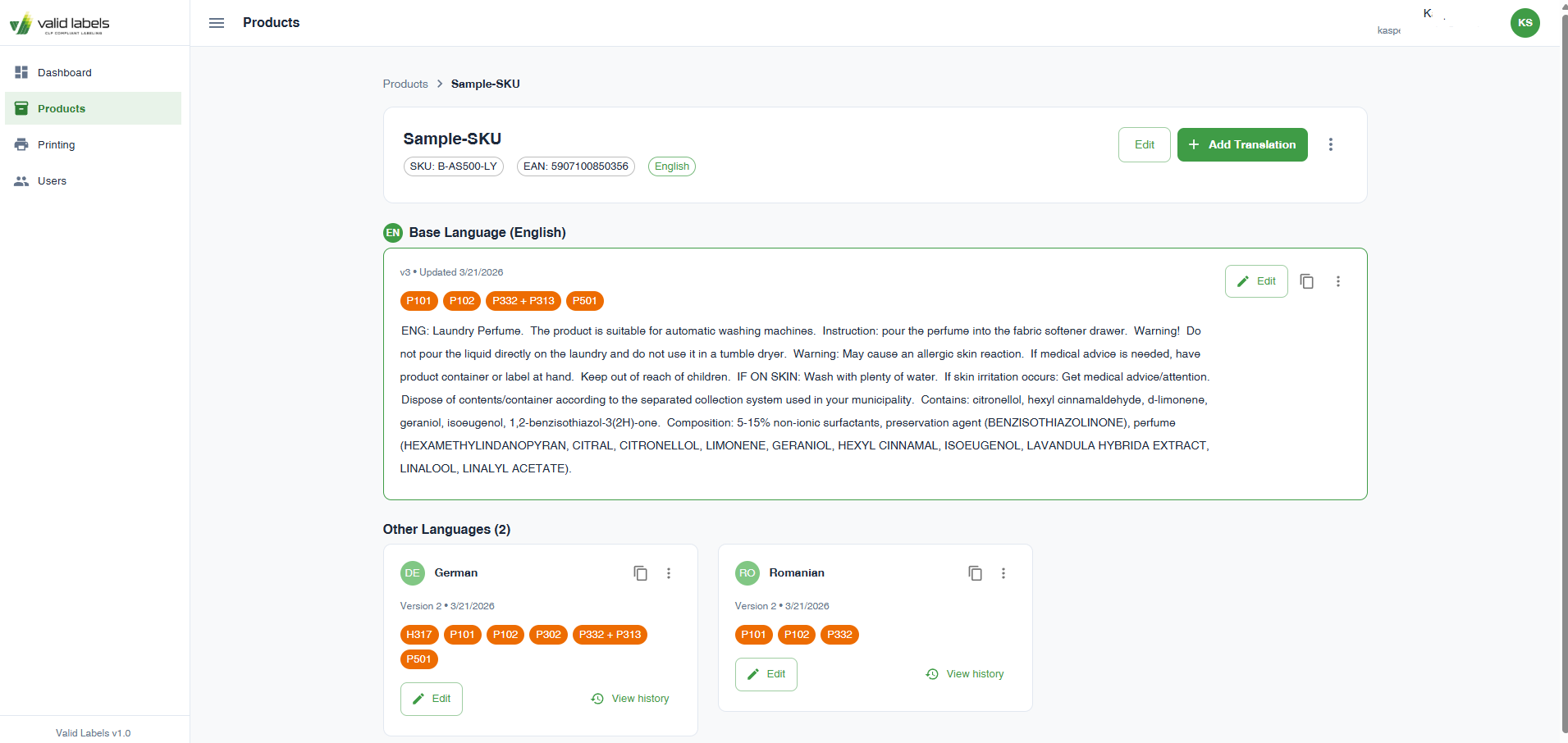
- Product and language-version library
- Zebra print on demand
From source to use
One supplier document. Your own product handoff.
Start with the supplier SDS. Keep it linked to the product SKU, reviewed label content and the language versions your team sends to packing.
Start with the supplier SDS
Upload the supplier’s current Safety Data Sheet (SDS). Review the extracted statements and product details, then have a qualified person check the final label before it reaches packing.
Keep each product identifiable
Manage the product/SKU and its label versions in the library. Check your brand’s product details and the destination-language content before handing a version to operations.
Hand off to packing and the store
Use Zebra print on demand and barcode lookup for physical labels. Connect product-page hazard information through the WooCommerce widget when you also sell online.
Check before use
A new supplier file should not become another loose label
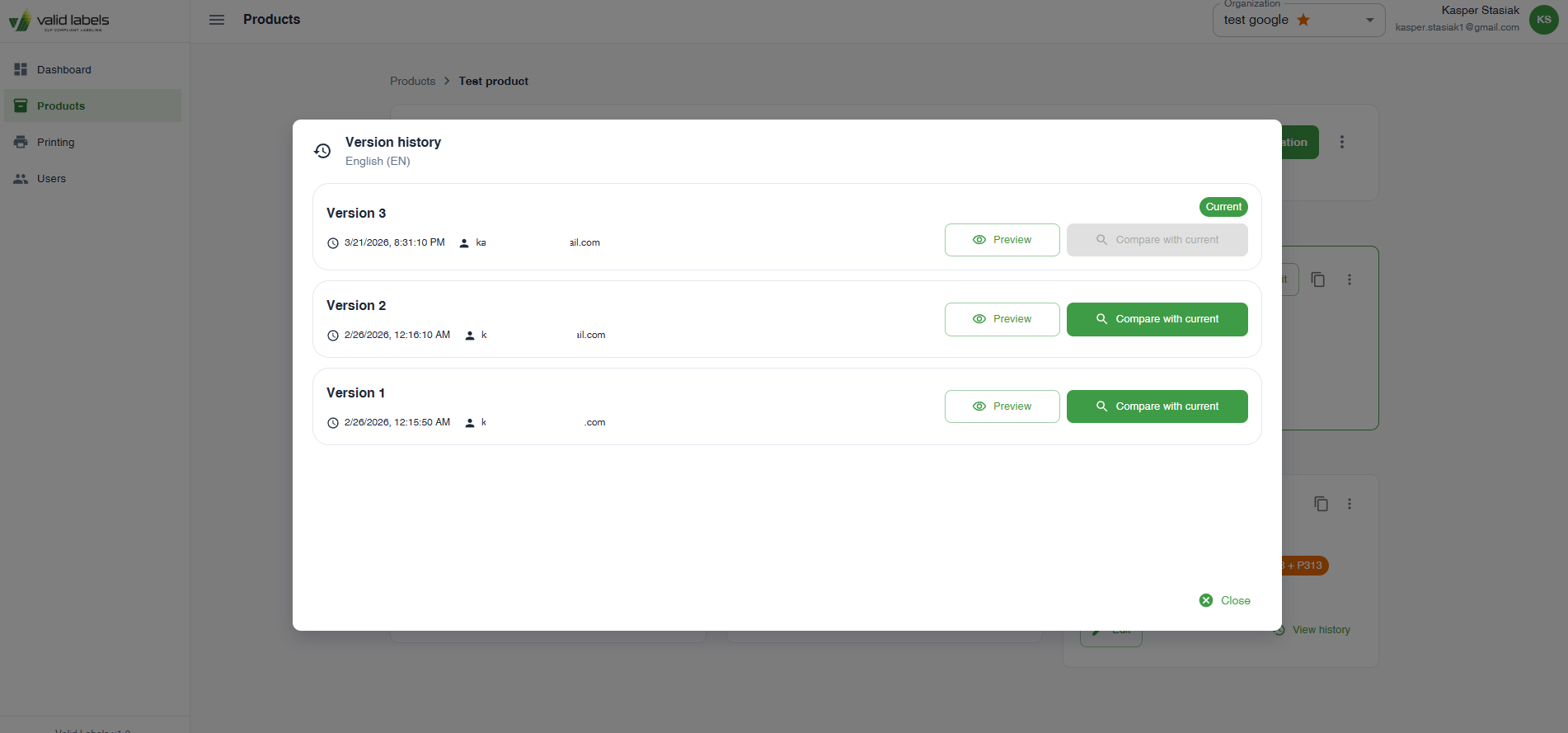
Version history and audit logs help your team track changes. When a supplier sends a revision, review the affected product and language versions before the next handoff.
- Check that the supplier document matches your product.
- Review the content and market-language versions before use.
- Confirm the SKU, language and current reviewed version at packing.
Before you start
No. Use the current supplier SDS for the product and have a qualified person review the final label. ValidLabels helps prepare label content from the SDS.
Yes. ValidLabels stores product and label content with language versions and version history, so the team does not have to rely on a folder of unrelated translation files.
Choose one product with a current supplier SDS. Review its label content, add a target-market language and test the handoff to packing or your WooCommerce product page.
Start with one product under your brand
Bring its supplier SDS. Work through the label, a target language and the packing handoff before adding the rest of your range.